Use the Contract Academy whenever and wherever you want!
Whether on a PC, tablet or smartphone: The Contract Academy accompanies you on all of your devices. Do you drive longer distances by car or sit on the train? Then use the integrated mobile solution for your smart phone.
Information that can be used well on a PC requires a different type of display on a mobile device. We therefore use appropriate technologies that support these different formats so that you can optimally access the content.
Because of the larger screen, the computer offers the easier way to access the content. The representation on smaller devices requires a different implementation, so that the computer has advantages here.
A tablet allows the choice of presentation. Content can be viewed and edited as it is possible on the PC. At the same time, you can also download a free app from the corresponding app stores for Android or Apple. This also makes it possible not only to get the content online, but also to download specific lessons so that you can use them without an Internet connection.
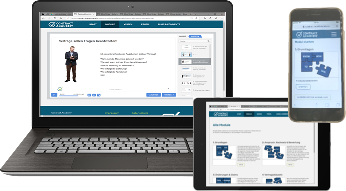
In order to access the lessons of the Contract Academy with a mobile device, we recommend installing a corresponding free app from the Android or Apple store. This means that the content is optimally displayed on your device. In addition to the possibility of working on the lessons online, individual topics can be downloaded so that they are also available offline.
If you then open a lesson with your mobile device, you will be given the option to open this lesson either in the app or via the normal browser.
Technical requirements: iOS 10.0+, Android 4.4+
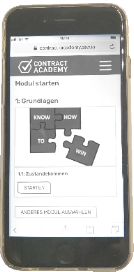
For IOS operating systems, open the App Store and download the iSpring Play app.
For Android-based devices, open the Google Play Store and download the iSpring Play app.